The best pickup model for your small business depends on four things: your parking, your staffing, your order volume, and your budget. In-store pickup is the cheapest to start but the most labor-dependent. Curbside adds convenience but demands dedicated staff and clear signage. Lockers cut labor and offer 24/7 access, but a basic 12-door system runs about $5,750 before integration. Here is how the three models compare, and how to pick the one that fits your operation.
Understanding Customer Pickup Options for Small Businesses
All three models solve the same problem: a customer buys online and collects the order from you. Where they differ is who does the work at the moment of handoff.
As retail industry resource Racklify describes it, store pickup involves in-store contact, curbside minimizes entry into the building, and lockers eliminate staff interaction entirely. Each shift moves effort and cost around your business rather than removing it. Moving from counter to curb to locker trades labor for capital, coordination, and technology.
In-Store Pickup: Direct Interaction and Simplicity
In-store pickup is the traditional model. A staff member retrieves the order and hands it to the customer at a counter or pickup point inside your store.
The upside is personal contact. Every pickup is a chance to answer questions, resolve problems on the spot, and—according to Racklify's analysis—drive impulse purchases, since store pickup pushes more traffic into your retail footprint. The downside is that labor scales directly with order volume and pick complexity. Someone has to be there during business hours, every hour you promise pickups.
Capital costs are minimal. Racklify notes that store pickup typically needs signage and shelving only, assuming you already have a storefront. Technology needs are modest too: an order management system and customer notifications, with basic e-commerce integration usually sufficient.
Curbside Pickup: Convenience at the Car
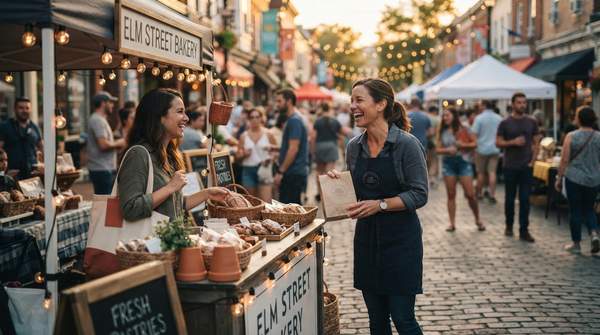
Curbside keeps the customer in their vehicle. An employee stationed outside hands over the order, whether it was placed by phone, app, or website, as Nextdoor's guide for local retailers explains.
The customer benefit is real. Medallia, citing Statista data, reports that in 2022 roughly two-thirds of U.S. millennial consumers chose curbside pickup as the fulfillment type for online purchases. Curbside also reduces contact and, as Medallia notes, can reduce transmission of common illnesses like colds and flu.
Operationally, it is the most coordination-heavy option. Racklify warns that curbside adds tasks for greeters or parking attendants and requires dedicated staff during busy windows. TIMIFY's e-commerce guide recommends choosing a location with plenty of parking, signing it clearly, and monitoring the service continuously. Nextdoor adds that a capable point-of-sale system is critical, and suggests personal touches—greeting customers by name, including a note—to keep the contactless experience feeling human.
Locker Pickup: Automated and Secure Access
Smart lockers flip the model: staff load orders into compartments, and customers retrieve them themselves using an access code or QR scan, with no staff interaction at the point of pickup.
The efficiency case is strong. Locker vendor Signifi argues that BOPIS lockers significantly reduce the need for dedicated pickup staff, free employees for other tasks, and offer 24/7 pickup availability that accommodates customers with varying schedules. Lockers also provide secure storage, and Signifi suggests the added convenience and security can reduce cart abandonment compared with delivery.
The cost is the catch. Racklify notes lockers shift spending toward capital, maintenance, and technology, including secure APIs to link access codes with orders. ForwardPass's market overview reports that hardware accounted for 67.27% of smart locker market revenue in 2025, with systems typically purchased as an upfront capital cost or via a subscription combining hardware access with recurring software fees. Parcel Hive, a locker manufacturer, cautions that pricing varies dramatically by compartment configuration, environment, and software integration—and warns against paying for features like facial recognition when a QR code suffices. As a concrete reference point, CTA Digital lists a 12-door smart locker system at $5,750.
Pickup Model Comparison: Operational, Cost, and Customer Factors
The table below compares all three models across the same five dimensions, drawn from the industry sources above. Read it as a trade-off map: no column wins everywhere, so match the pattern to your constraints.
| Dimension | In-Store | Curbside | Locker |
|---|---|---|---|
| Customer Interaction | Direct, in-person staff contact | Brief handoff at the customer's vehicle | None at pickup; self-service via code or QR scan |
| Operational Load | Staff retrieves and hands off each order; adds in-store traffic | Staff runs orders outside; arrival coordination and parking management | Staff loads compartments; pickup itself is automated |
| Labor Costs | Scale with order volume and pick complexity | Dedicated staff needed during busy windows | Significantly reduced; staff freed for other tasks |
| Capital Costs | Minimal—signage and shelving | Low—signage, parking setup, POS capability | High—hardware plus integration; ~$5,750 for a basic 12-door unit, per CTA Digital's listing |
| Technology Needs | Order management system and notifications | POS system and arrival/communication workflow | Secure APIs for access codes or QR scanning; software fees may recur |
The pattern that emerges: in-store minimizes capital and maximizes personal contact, curbside buys convenience with coordination labor, and lockers buy labor savings and 24/7 access with upfront capital and integration work.
Choosing Your Best Pickup Model: A Self-Assessment Guide
Work through these four questions before committing.
- Order volume: At low volume, in-store pickup's labor cost barely matters. As volume grows, per-order labor compounds—first favoring curbside's speed, then lockers' automation.
- Physical layout and parking: Curbside requires designated, well-signed parking near your entrance, per TIMIFY's guidance. No reliable parking means curbside creates friction instead of removing it. Lockers need only a secure footprint, indoors or out.
- Staffing capacity: If you cannot spare a person during peak windows, curbside will strain your team. Lockers reduce dedicated pickup labor most, but someone still stages orders.
- Budget and hours: If customers want pickup outside your staffed hours, only lockers deliver that. If capital is tight, in-store or curbside starts for the cost of signage.
You can also stage the rollout: many businesses start with in-store pickup, add curbside once volume justifies the staffing, and consider lockers when order volume and after-hours demand make the capital investment sensible.
Making Your Choice: Aligning Pickup with Business Needs
Small businesses should select a customer pickup model by evaluating their existing physical layout (especially parking), current staffing capacity, expected order volume, and budget for initial capital investment and ongoing operational costs. There is no universally best option—only the best fit for those four constraints.
Once you launch, judge the decision with the measurable indicator that matters: the chosen pickup model's integration with existing operations, customer satisfaction feedback, and impact on staff efficiency. If pickups run smoothly, customers report fast and clear experiences, and your team is not stretched thin at peak times, the model fits. If any of those three slip, revisit the comparison table before adding complexity elsewhere.
Sources
- Store Pickup vs Curbside: Which To Use — Racklify
- Curbside Pickup 101: A Guide for Local Retailers — Business
- 7 Reasons Why Curbside Pickup is Here to Stay – Medallia
- Curbside Pickup: 5 Advantages for Ecommerce Stores — TIMIFY
- BOPIS Lockers: Streamline Buy Online Pick Up In Store Operations Now — Signifi
- Smart Locker Market 2026: Size, Cost & Growth Trends — Forwardpass
- Smart Locker Pricing 2026: Save 40% with Custom Config — Parcelhive
- Smart Lock and Charge Locker Device Management System 12 Doors — CTA DIGITAL